Guides15 min read3,402 words
What a Corporate Buyer Checks Before Adding You to an RFP Shortlist
A walkthrough of the ten minutes a procurement contact or internal events manager spends on your website before deciding whether to send you an RFP.
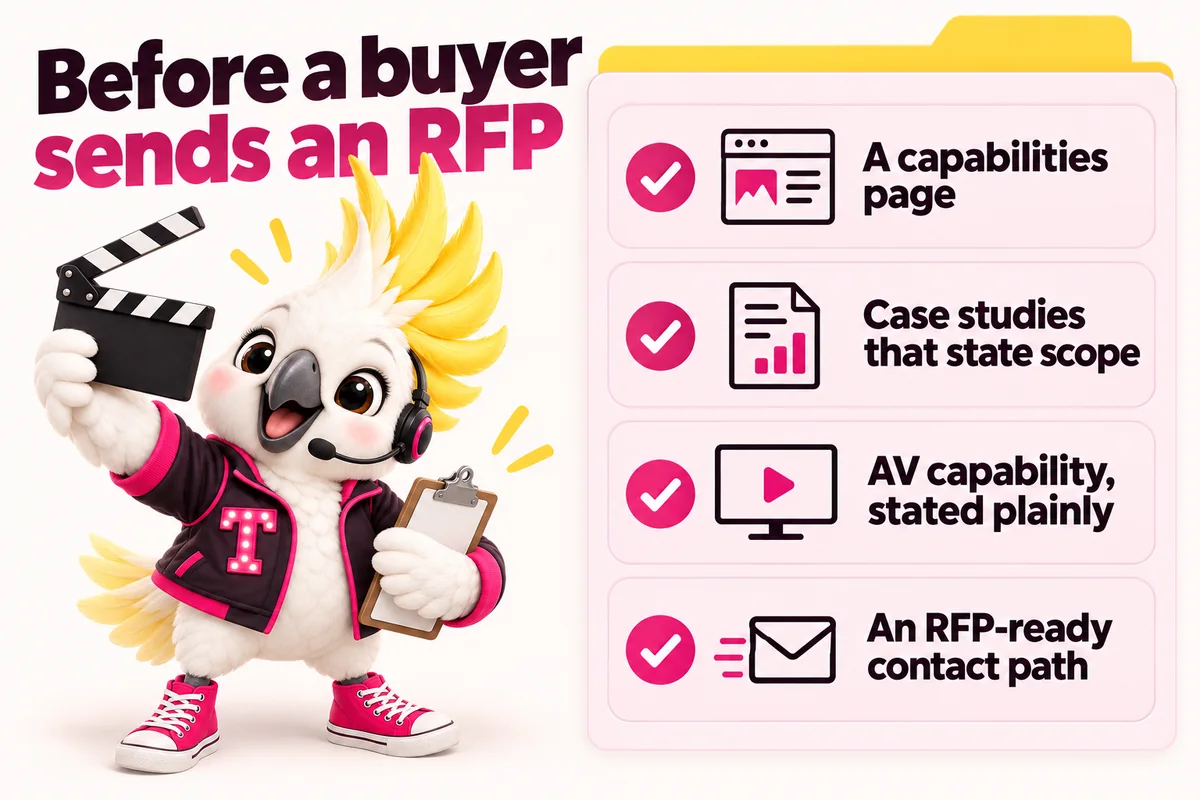
Before a corporate buyer sends you an RFP, someone spends about ten minutes on your website deciding whether you are worth the effort of receiving one. That person is either a procurement contact building a vendor list or an internal events manager who has been told to find three agencies. They are not browsing. They are running a filter, and your site either clears it or it does not.
The filter is unglamorous. It is not about your design or your story. It is about whether you can show, quickly and specifically, that you have produced their shape of event at their shape of scale, that you carry the paperwork their legal team will demand, that you have enough people to staff a show, and that a named human will answer an RFP within a stated window. Most event company websites fail on several of those, not because the company cannot do the work, but because nobody wrote it down.
This is a walkthrough of that ten minutes, in order, with what has to be on the page at each step. It is written for corporate and conference producers, and for full-service firms who want the corporate side of the business to stop losing to agencies with worse work and better websites.
The ten minutes before an RFP goes out
The ten minutes is an elimination exercise. The buyer already has a brief, a rough budget and a deadline, and is looking for reasons to remove companies from a long list rather than reasons to add them. That changes what belongs on the page, because content designed to impress and content designed to survive elimination are not the same thing.
Who is actually on your site
Three people typically run this pass, and they check different things:
- The internal events manager. Wants to know whether you have produced their format before and whether you will make them look competent to their leadership. Reads case studies and capabilities.
- The procurement or sourcing contact. Wants to know whether you can be onboarded as a vendor: insurance, financial stability, data handling, references, payment terms. Reads the practical pages and gives up quickly if they do not exist.
- The executive sponsor, who glances briefly at whether you look like a company their name is safe next to.
A site that serves only the first of those three gets shortlisted occasionally and dropped in onboarding. Serving all three is less work than it sounds, because most of it is writing down things you already do.
What they are trying to rule out
The unspoken checklist is short and consistent. Can this company handle our scale, or are they a boutique that will be overwhelmed? Have they produced our format, or will we be their first? Do they have enough staff for a multi-day show? Will legal approve them, or will insurance and data questions stall the process? Is there a person who answers, or a form that disappears?
Every one of those can be answered on the website. None of them usually is.
A capabilities page, not an about page
A capabilities page states what your company can operate, as distinct from an about page that tells your story or a services page that lists what you sell. It is the single highest-value page you can add to a corporate-facing site, because it is the page the buyer is trying to reconstruct from fragments of everything else.
What belongs on it
Write it as a reference document, not a pitch. The buyer is scanning for thresholds:
- Event formats you produce, named explicitly rather than described generally.
- Attendee scale ranges you routinely operate within, stated as ranges rather than superlatives.
- Geographic coverage: the cities and regions you produce in directly, and where you work through local partners.
- Production capability: what you hold in-house and what you source, covered in more detail below.
- Team structure: the roles on a typical show and how many people you can put on site.
- Services boundary: what you do and, just as usefully, what you do not. Saying you do not handle attendee travel booking saves everybody a call.
If you operate in several markets, say which ones and how, because a national buyer will assume you cannot until told otherwise. That is the specific problem a multi-city event company website structure is built to solve.
Name the formats you actually produce
Use the industry’s own vocabulary, because that is what the buyer searched with and what they will scan for. A corporate buyer looking for a conference producer is looking for words like these:
- General session production, including staging, keynote support and show calling.
- Breakout tracks, with room counts and concurrent session handling.
- Hybrid and streamed formats, including remote presenter management.
- Trade show and exhibit floors, including exhibitor services and booth logistics.
- Incentive travel programmes, including room blocks and offsite activity management.
- Internal meetings, sales kickoffs, user conferences, product launches and executive offsites.
Listing the format names matters twice over. It tells the human you have done this, and it gives search engines something specific to match against a specific query, which Google’s own SEO Starter Guide describes as the foundation of being findable at all. A page that says “we produce world-class events” matches nothing anyone actually types.
Case studies that state scope, not adjectives
A corporate case study is a scope document with pictures, not a story with superlatives. The buyer is trying to map your past work onto their brief, and they can only do that if you tell them what the work actually involved.
The scope block
Give every corporate case study a consistent, scannable block near the top covering the same fields every time:
- Client type, named if you can, described by category and industry if you cannot.
- Event format, in the vocabulary above.
- Attendee count or range, and the number of days.
- Venue type: convention centre, hotel, campus, non-traditional space.
- What you owned: production, AV, registration, F&B coordination, speaker management, sponsor servicing, run of show and show calling.
- What was subcontracted, and who managed those vendors.
- Constraints that made it hard, such as a compressed load-in window, a union venue, a multi-city roadshow or a live-streamed general session with a fixed broadcast window.
That last field is the one companies skip and buyers value most. Anyone can produce an easy show. Describing a difficult one, honestly, is the strongest proof available to you.
Proof that survives a procurement check
References are part of the shortlist decision, not part of the contract stage, and procurement contacts assume that a company with no references on file is a company that cannot produce them. You do not need to publish client contact details. You do need to make it obvious that references exist and can be supplied.
The practical version is a short line on the capabilities page stating that client references for comparable formats are available on request, plus named, attributable testimonials rather than anonymous quotes. A testimonial from “Director of Global Events, financial services client” carries weight. One from “A very happy client” carries none, and reads as invented.
Industry association memberships, venue partner listings and certifications belong here too, in a plain list rather than a wall of logos. Marking your organisation up with structured data helps machines read these details consistently as well, which Google Search Central describes as the point of structured data in the first place, using the vocabulary defined by Schema.org for an Organization.
AV and production capability, stated plainly
State exactly what production capability you hold in-house and what you partner for, because a buyer who cannot tell will assume the least favourable answer. This is the question that quietly decides many shortlists, and almost no event company website answers it.
In-house versus partnered
Both models are legitimate. Owning inventory is not automatically better than having deep partner relationships, and pretending to own capability you broker is a fast way to lose a client during load-in. What matters is that the buyer knows which model they are buying, and who carries responsibility when something fails the night before doors.
Say it directly. If you hold in-house production staff and partner for equipment, say so. If you are a production company with your own inventory and crew, say what inventory and how much crew. If you are a planning firm that manages AV vendors on the client’s behalf, say that and describe how you scope and supervise them, because some buyers specifically prefer it.
The questions your page should pre-answer
- Who show-calls the general session, and are they your employee or a freelancer you use repeatedly?
- Do you produce the run of show and the production schedule, or does the AV vendor?
- Can you handle a streamed or hybrid component, and with whose equipment?
- Who manages load-in, load-out and venue liaison?
- What happens if the venue’s in-house AV is mandated by contract?
Answering these on the page removes an entire discovery call from the buyer’s process, which is exactly the kind of friction reduction that gets a company shortlisted. For full-service event management and production companies, this section is often the difference between being read as a planner and being read as a producer.
Team and staffing depth
Show that you have enough people, because the fear a corporate buyer carries into every vendor decision is that they have hired a two-person shop that will be overwhelmed by a four-hundred-person conference. Depth is a shortlist criterion whether or not anyone says so out loud.
Named leadership and role structure
Publish real names, roles and photographs for the people who will be in the room. A team page with a founder and a stock photograph reads as a company of one. A page listing a producer, a production manager, a registration lead and a client services lead reads as a company with a structure, even if it is genuinely small.
Describe the roles on a typical show, not only the job titles in the office. A buyer wants to know who their day-to-day contact is, who is on site, who calls the show and who they escalate to.
Surge staffing
Explain how you scale for a live event, because every event company uses contractors and every buyer knows it. Describe your model: a core full-time team, a repeat freelance bench you have worked with across multiple productions, and locally sourced staff for registration and floor support. Say how you brief and supervise them.
Being straightforward here does more for credibility than implying a permanent headcount you do not carry. The buyers who ask directly are testing whether you will be honest under pressure later.
Insurance, compliance and attendee data
Publish what you carry before anyone has to ask, because insurance and data questions are where promising vendors stall for weeks. The buyer’s legal and procurement teams have a fixed list, and a company that anticipates it looks like a company that has been onboarded by large organisations before.
The paperwork a buyer will ask for
- General liability insurance, with the coverage types you hold stated plainly.
- Certificates of insurance on request, including the ability to add the client and the venue as additional insured.
- Workers’ compensation coverage for your staff and clarity on contractor status.
- A W-9 or equivalent tax registration document, and your legal entity name if it differs from your trading name.
- Vendor onboarding contact: the person who handles supplier portals, purchase orders and payment terms.
- Any certifications, licences or association memberships relevant to the markets you produce in.
Do not publish the certificates themselves. State that they exist, state what they cover, and name the person who provides them.
Attendee data and security
Say how you handle attendee lists, because you are processing personal data on your client’s behalf and their security team increasingly reviews vendors who do. Registration data, dietary requirements, accessibility needs, travel details and sometimes health information all pass through an event team.
A short, factual paragraph is enough at the shortlist stage. Name the registration platform you use, state that attendee data stays in that system rather than circulating as spreadsheets by email, describe who on your team has access and for how long, and say when the data is deleted or returned. If you have a written data handling policy, link to it. For enterprise, public sector and healthcare buyers, this can decide between two otherwise identical agencies.
Accessibility is now a buyer requirement
Accessibility is moving from a nice-to-have to a procurement question, and your website is the first evidence a buyer has about how seriously you take it. The W3C’s Web Accessibility Initiative publishes the Web Content Accessibility Guidelines, known as WCAG, as the reference standard, organised into conformance levels A, AA and AAA, with AA being the level most organisations and policies point to.
Why it reaches event companies specifically
Two reasons. The first is direct: many public sector buyers, universities and healthcare organisations are subject to accessibility requirements. Section508.gov explains that the Revised Section 508 Standards incorporate WCAG Level A and AA success criteria for information and communication technology in the United States federal context, and large enterprises frequently mirror that expectation in their own vendor questionnaires.
The second is that you will be building event microsites, registration flows and agenda pages on your client’s behalf. A buyer evaluating you for that work reasonably treats your own site as a sample. If your own navigation cannot be used with a keyboard, your answer about accessibility has already been given.
What to actually do
- Write real text, not text baked into images. Sponsor logos and agenda graphics are the usual offenders.
- Give every image meaningful alternative text, describing what it shows rather than repeating the file name.
- Keep colour contrast sufficient for body text and interface elements, which is the failure most event brand palettes hit.
- Make everything keyboard operable, including menus, galleries, lightboxes and forms.
- Label every form field visibly, rather than relying on placeholder text that disappears when someone types.
- Use headings in order, so screen reader users can navigate the page structure.
The W3C notes that accessible design also improves usability for everyone, which is a useful thing to remember when the work feels like compliance. A keyboard-operable form with visible labels converts better for everybody.
An RFP-ready contact path with a named owner
Give the RFP its own contact route, with a named owner and a stated response time, rather than routing it through the same form that handles wedding enquiries and newsletter questions. This is the last thing the buyer checks and the easiest to get right.
What the page must contain
A dedicated page, linked from the capabilities page and from the main navigation on the corporate side of the site, carrying:
- A named person with a title, a direct email address and a photograph. Business development lead, director of client services, whoever genuinely owns it.
- A stated response time, such as acknowledgement within one business day. Then meet it.
- Where to send RFP documents, including an address that accepts attachments and a note about file size limits if you have them.
- What you need to respond well: event dates, format, attendee range, venue status, budget range, decision timeline and any procurement process requirements.
- Your legal entity name, registered address and vendor onboarding contact, so a procurement portal registration does not require a separate email exchange.
The RFP intake form
Keep the form short and make it ask the questions that determine whether you can respond at all: dates, format, attendee range, location, budget range, deadline, and a file upload for the brief. Route it to a real inbox that a named person owns, and copy at least one other person so a holiday does not cost you a bid.
The difference between this and a generic contact form is not cosmetic. A buyer reading a dedicated RFP path concludes that you have received RFPs before and have a process for them, which is exactly the conclusion you want. Building this kind of routed, role-aware enquiry path is the core of an event inquiry and booking website build, and it is the piece most often missing on otherwise strong corporate event agency websites.
How this differs from a wedding-facing site
A corporate-facing site is a due diligence document and a wedding-facing site is a trust and taste document. They are aimed at different decisions, and trying to make one page serve both produces a page that convinces nobody.
A wedding client is making a personal, largely sole decision. They want to see the work, understand your planning levels, feel that you are calm and organised, and know whether you are free on their date. Photography leads, the form asks for the date first, and personality is an asset. That is what a site built for wedding planners and coordinators is optimised around.
A corporate buyer is making a defensible, committee-reviewed decision. They want scope, capacity, paperwork and a named contact. Photography supports the claim rather than making it, the form asks for format and attendee count first, and precision matters more than warmth. That is what a site built for corporate and conference producers is optimised around.
If you run both, build both, as separate sections with separate navigation, separate proof and separate enquiry routes under one domain. Splitting into two domains divides the search authority you have spent years accumulating and doubles what you have to maintain.
What to do next week
Work through the shortlist filter in the order a buyer hits it, one item a day. None of this requires a rebuild to start.
- Monday. Draft the capabilities page. List formats, attendee ranges, geographic coverage, in-house versus partnered production, and team structure. Nothing on it should be new information, only newly written down.
- Tuesday. Pick your three strongest corporate events and add a scope block to each case study: format, attendee range, venue type, what you owned, what was subcontracted, what made it hard.
- Wednesday. Write the compliance paragraph. Coverage types, certificates on request, entity name, vendor onboarding contact, and a factual paragraph on attendee data handling.
- Thursday. Run an accessibility pass on your corporate pages. Keyboard navigation, alternative text, colour contrast, visible form labels, heading order. Fix what you can and list what you cannot.
- Friday. Build the RFP contact path: a named owner, a response time you will actually meet, an intake form asking the six questions that determine whether you can bid, and routing to more than one inbox.
If that reads like a project competing with a live production calendar, it is the sort of thing a managed site absorbs: the pages built during onboarding, the case studies added as shows finish, and revisions handled without a developer queue, with a client portal from launch day so requests do not live in email. Our pricing page covers the plans this runs on, and you can book a demo to walk through your current corporate pages against this filter and see which items a buyer would not find today.
Sources
Frequently asked questions
Do we really need a capabilities page if we already have an about page and a services page?
Yes, because they answer different questions. An about page tells a story and a services page lists what you sell. A capabilities page states what you can operate: formats, scale, staffing, production resources and the markets you cover. A corporate buyer is not reading for narrative, they are checking whether you clear a threshold, and a capabilities page lets them do that in under a minute.
We cannot name most of our corporate clients. Can we still publish case studies?
Yes. Describe the client by category and the work by scope: a financial services client, a two-day user conference, a general session for a stated attendee range, a named number of breakout tracks, the production elements you owned. Buyers care far more about whether you have run their shape of event than about the logo. An anonymised case study with real scope outperforms a named one that only offers adjectives.
How much insurance and compliance detail should actually be on the public site?
Enough to confirm you carry what they will require, without publishing the certificates themselves. State the coverage types you hold, that certificates of insurance are available on request with additional insured endorsements, and name a contact who handles vendor onboarding paperwork. That lets a procurement contact tick the box during a first pass and request documents later through the proper channel.
Does accessibility genuinely affect whether we get shortlisted?
Increasingly, yes, particularly with public sector buyers, universities, healthcare organisations and large enterprises with their own accessibility commitments. Some vendor questionnaires ask directly about conformance, and an inaccessible site is itself evidence for the answer. The W3C notes that accessibility also improves usability for everyone, so the work pays back on the conversion side as well as the compliance side.
Should the corporate side live on our main site or on a separate site?
A separate section of the same site is usually right, with its own navigation path, its own case studies and its own inquiry route. A separate domain splits your search authority and doubles the maintenance. What matters is that a corporate buyer never has to read past wedding content to find corporate proof, which a properly divided site solves without needing a second property.